Showing posts with label kindergarten. Show all posts

Thursday, April 16, 2015

Using Google Earth in SS

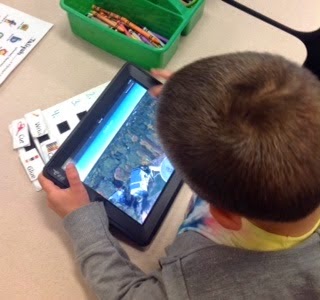
Today my kindergarten students used the Google Earth app to explore our world!  Mrs. D'Elia showed us how to find several key locations and introduced us to basic map skills and vocabulary (which ties in perfectly with the K social studies map unit).  We were even able to find our school and other surrounding places. My kids loved the 3D model of the Earth and being able to "zoom" in from our continent, to our country, to our state, to our city and finally to our neighborhood and school. Google Earth is definitely for students to explore! 

Thursday, April 9, 2015

QR Codes and Kahoot in Kindergarten

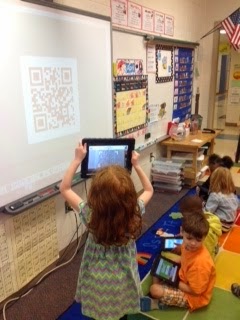
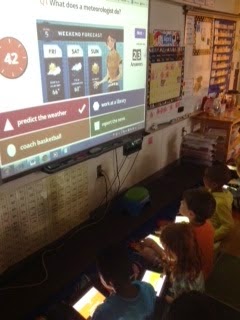
This morning we finally embraced BYOD in our kindergarten classroom! The kids have been using their devices in small groups, but we have not attempted any whole group activities yet. Although we only have 4 students with their own device, we were able to buddy up and supplement with our school iPads. First we used a QR code to take us to Kahoot! We then completed a Kahoot that explored weather concepts. This was great practice for our science assessment we took later on. It also gave me a quick snapshot about one topic I needed to touch on again before the assessment. My kids LOVED reviewing this way and it only took my 10 minutes to make the questions. Through my exploration of the site I learned you can browse other teacher created activities and found 2 more we will do next week (one on math facts and one on blends).  I highly recommend searching the site (you can search by grade or content)! #evenkindergartencandoit!


Thursday, March 12, 2015

Main idea and details

I chose to use Caroline's idea to use linoit.com as a student response after reading nonfiction. My students read a scholastic reader about the wind then met with their groups to discuss the facts in the article.  After that we pulled out our devices and scanned a QR code to take us to linoit.com.  There, the students typed on the stickies the facts they read in their articles.  We then discussed the stickies and categorized them based on their topic.  We then looked at it as a whole to figure our the main idea.

After discussing with Caroline I found some helpful hints to get me started, especially for the young'uns.

I started by introducing them to lino. They worked in groups to scan a QR to get to lino.  They then pulled a sticky and typed their names.  For students with devices from home, their friends spelled their name and they typed.  This helped them get used to collaborating with the device even though everyone couldn't touch it.

The next day we got back in our groups, scanned a QR and went to a different lino.  Students worked together to say a sentence with the word where.  They then typed that sentence on a sticky. For students with dictation enabled they were able to say their sentence and didn't need to type.  We also found the suggested text to be helpful to build sentences.  Students quickly figured out how to select the suggested text and if they didn't see the word they wanted, they started to type that word and it would show up.

I was really worried about having kindergartners type... BUT... it was not scary!  The auto-correct was a BIG help!

I'm providing links to the linos we made so you can see all the hard work!!

names

using where in a sentence

wind