Showing posts with label Linoit. Show all posts

Friday, April 10, 2015

Friday Form and Flubaroo Fun

Today was a funfilled Friday!

We started with a Science Vocab Quiz on Google Forms, graded with Flubaroo.
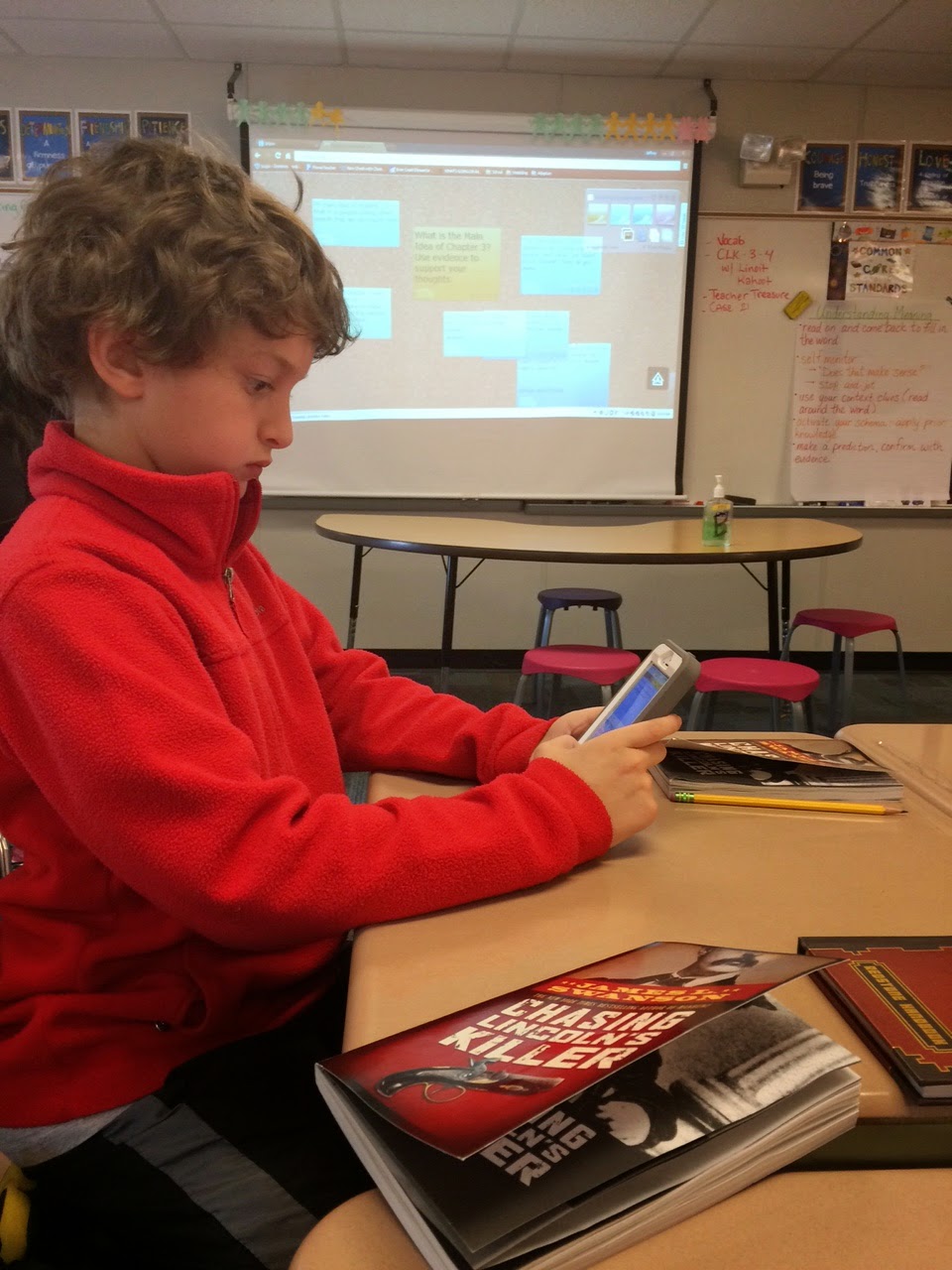
We then read a chapter from our class novel Chasing Lincoln's Killer* (old fashion paperback ;-)) Fom here, we used Linoit to answer a Main Idea question and start a class discussion about the chapter and characters we had just read about.


After that we use Kahoot Survey to analyze certain characters from the first three chapters.

 The more we use certain apps, websites, forms, etc., the process of them logging on and completing the task is getting seamless; I do not have to instruct on how to login or navigate any longer. Happy Friday.


Thursday, April 9, 2015

Planting Seeds with Lino!

We have officially started our Plants and Soil unit for 4th quarter today and to launch it I used Lino/Linoit. This was the first time we did it so I kept our questions simple and something all students would be able to answer- almost like a quick inventory [or KWL] of what the students knew already about the following: plants, soil, and seeds. 

The students used a QR code to pull up the Lino and then worked alone, with a partner, and some groups of three to answer all three of the intro questions. Afterwards we discussed plants in further detail and started our Colored Celery experiment that will help us see how the coloring in the water seeps through the stem up to the leaves and in turn, changes their color.


Thank you to all the individuals who shared their experiences with Lino, Maynard for sharing the iPADS, and Shearer for sharing her celery :)

Saturday, April 4, 2015

First/Fourth Grade: Digital Learning Share


My first grade students and Ms. Collins' fourth grade students shared how they use digital learning tools in their classrooms. To begin, the 1st grade students taught the 4th graders how they use linoit by posting information about themselves (name, age, favorite thing to do). 

Next, we practiced using linoit as a way to share our thoughts during our read aloud. The 1st graders have been reading Fancy Nancy: Nancy Clancy: Super Sleuth
Ms. Collins' 4th graders showed the 1st graders how to share their thoughts (connections, questions, inferences, etc.) during our read-aloud. They did a wonderful job!

Finally the 4th grade students shared their favorite digital learning tool to their 1st grade buddy. The fourth graders shared; story kit, Discovery Education: Board Builder, Aww white board, Big Universe, etc. We even had one 4th grade student present on the SMARTboard how she uses board builder. We are hoping to have more shared learning experiences for our First/Fourth grade buddies using technology! 


Thursday, March 19, 2015

Jumping on the Linoit Venn Diagram Bandwagon!

It was so cool!  My kids loved it and were totally engaged.  We read the story Cenderellon and then I assigned each student a color and a group.  Then I gave them the QR code to the linoit I created and then I set the kids loose! They did a great job and needed very little guidance from me.  Finally, when we were all done we went over our sticky notes to review what we had learned and compared!

Here is a link to our linoit!Cinderella Linoit

Thanks to Caroline Page, Aubrey McCoy and Susan Bouchard for the inspiration!!

Tuesday, March 17, 2015

Thanks to Miriam Perez and Caroline Page, I successfully used Linoit to brainstorm goods and services for Social Studies.  Afterwards, I was inspired to find out more about QR code activities.  I found this great set of QR code equations to help my students choose appropriate addition strategies.  I also found a website to create a QR code treasure hunt-I have created some codes, but am still working on the idea of using them in a more novel way.  Here is the link:  http://www.classtools.net/QR/

Sunday, March 15, 2015

More Linoit in First Grade

After reading Caroline Page's blog post about using Linoit to compare texts, I started wondering if we could adjust the background to make it look like a Venn Diagram. So Caroline and I put our heads together, and guess what we figured out how to do?


Once that was in place, I had students use it to compare the information in two different nonfiction texts about spiders. Students had already worked with partners to create Venn Diagrams on paper, so each pair used the lino to share out a couple of ideas with the class.


When they were finished creating a sticky note or two, I called all the partners to the rug, so we could read through all the sticky notes and make any adjustments we discovered were necessary. We fleshed out incomplete thoughts, changed the color of some sticky notes to get them in the right places, and corrected any factual errors about what the books actually said. (As you can see if you look closely, we left the spelling mistakes alone for now!)


It was great to have sticky notes that could appear on the Smartboard, large enough for the whole class to see A big improvement over squinting to see the tiny paper variety! Having students contribute to diagram we could all read created many more opportunities for discussion and reflection among the students. (And it was a lot of fun, too.)

Thursday, March 12, 2015

Main idea and details

I chose to use Caroline's idea to use linoit.com as a student response after reading nonfiction. My students read a scholastic reader about the wind then met with their groups to discuss the facts in the article.  After that we pulled out our devices and scanned a QR code to take us to linoit.com.  There, the students typed on the stickies the facts they read in their articles.  We then discussed the stickies and categorized them based on their topic.  We then looked at it as a whole to figure our the main idea.

After discussing with Caroline I found some helpful hints to get me started, especially for the young'uns.

I started by introducing them to lino. They worked in groups to scan a QR to get to lino.  They then pulled a sticky and typed their names.  For students with devices from home, their friends spelled their name and they typed.  This helped them get used to collaborating with the device even though everyone couldn't touch it.

The next day we got back in our groups, scanned a QR and went to a different lino.  Students worked together to say a sentence with the word where.  They then typed that sentence on a sticky. For students with dictation enabled they were able to say their sentence and didn't need to type.  We also found the suggested text to be helpful to build sentences.  Students quickly figured out how to select the suggested text and if they didn't see the word they wanted, they started to type that word and it would show up.

I was really worried about having kindergartners type... BUT... it was not scary!  The auto-correct was a BIG help!

I'm providing links to the linos we made so you can see all the hard work!!

names

using where in a sentence

wind


Friday, March 6, 2015

Linoit in First Grade!

Today we used Linoit in Readers Workshop. We were comparing two scholastic news articles on weather. My first graders started by adding a sticky for any fact they learned from the text. As a class, we categorized the stickies by color to decide if it was unique to the text or a similarity about both text. I plan to have kids decide the main topic of each text based off of their sticky notes on Monday.

The best part: Some of my students had a hard time with typing into their sticky so a PROBLEM SOLVER figured how to continue. One of my students discovered that instead of typing their response they could use the voice recorder on their device to add a note quickly.

Another neat part was when a few students began editing their stickies by changing the color to match. They are in First grade and they self-corrected their own work without me asking them to do this!!!

Check it out: http://en.linoit.com/


Monday, February 16, 2015

Linoit in 4th grade

We started our unit on fractions today.  As an introduction, I created a Linot for students to finish my sentence of "A fraction is...". It was a very easy way to gauge prior knowledge and see exactly where we needed to start.   We used manipulatives and devices during the lesson.  By the end, students did another Linoit board to show learning of fractions and decomposing a fraction.