Showing posts with label 5th Grade. Show all posts

Monday, May 11, 2015

Socrative

This is my new favorite App/Website is called Socrative. This tool allows you to create multiple choice or open ended questions. It gathers the information and then creates a page with results!!!

I used this last week at a Math Center. Students had to answer open ended math questions! Be careful with open ended as you have to make sure you come up with all the possible correct answers!

It took me about 10 minute to create a 10 question quiz. You can even upload pictures into the question if there are any diagrams for science they need to see!!

For the results page I was able to see what percentage as a class we got right and who missed the question. You can either have the kids put their name or hide their identity!


Wednesday, May 6, 2015

Number Pieces App

Currently my students are working on volume! They were given the task to create a greenhouse for the school. The greenhouse had to have a volume of 900 ft cubed or 100 ft cubed.

Students used AwwApp to create a list of their dimensions and a 3-D version of the greenhouse.


Next using the NUMBER PIECES app, the student used base 10 pieces to great a net. A net is a 2-D version of a 3-D box. 


The NUMBER PIECES App on the school IPads are great for anything with place value!!! We also used it during our strategy to group to demonstrate dividing a whole number by a decimal!


Tuesday, May 5, 2015

Fraction Apps

Today we used two different apps in class to test our knowledge of fractions.  We used the Thinking Blocks by Math Playground to help us with problem solving with fractions.  Students have to use models to help build the concrete understanding of what they are trying to find in the question.  This gives great problem solving practice as we close in on the EOGs. Students can use the space around the problem as a whiteboard to do their math work.  This app is very interactive and highly engaging!


The other app we used is Fractions by Brainingcamp.  Students work through activities finding common denominators, adding and subtracting fractions, multiplying fractions, etc. This app is differentiated with lessons, manipulatives, questions, and challenges for all levels for students. These problems also appear as though they are on a whiteboard where students can do their work right on the screen.

This app even helps students see what the common denominator is of these fractions. Students are loving this app!

Friday, April 10, 2015

Friday Form and Flubaroo Fun

Today was a funfilled Friday!

We started with a Science Vocab Quiz on Google Forms, graded with Flubaroo.
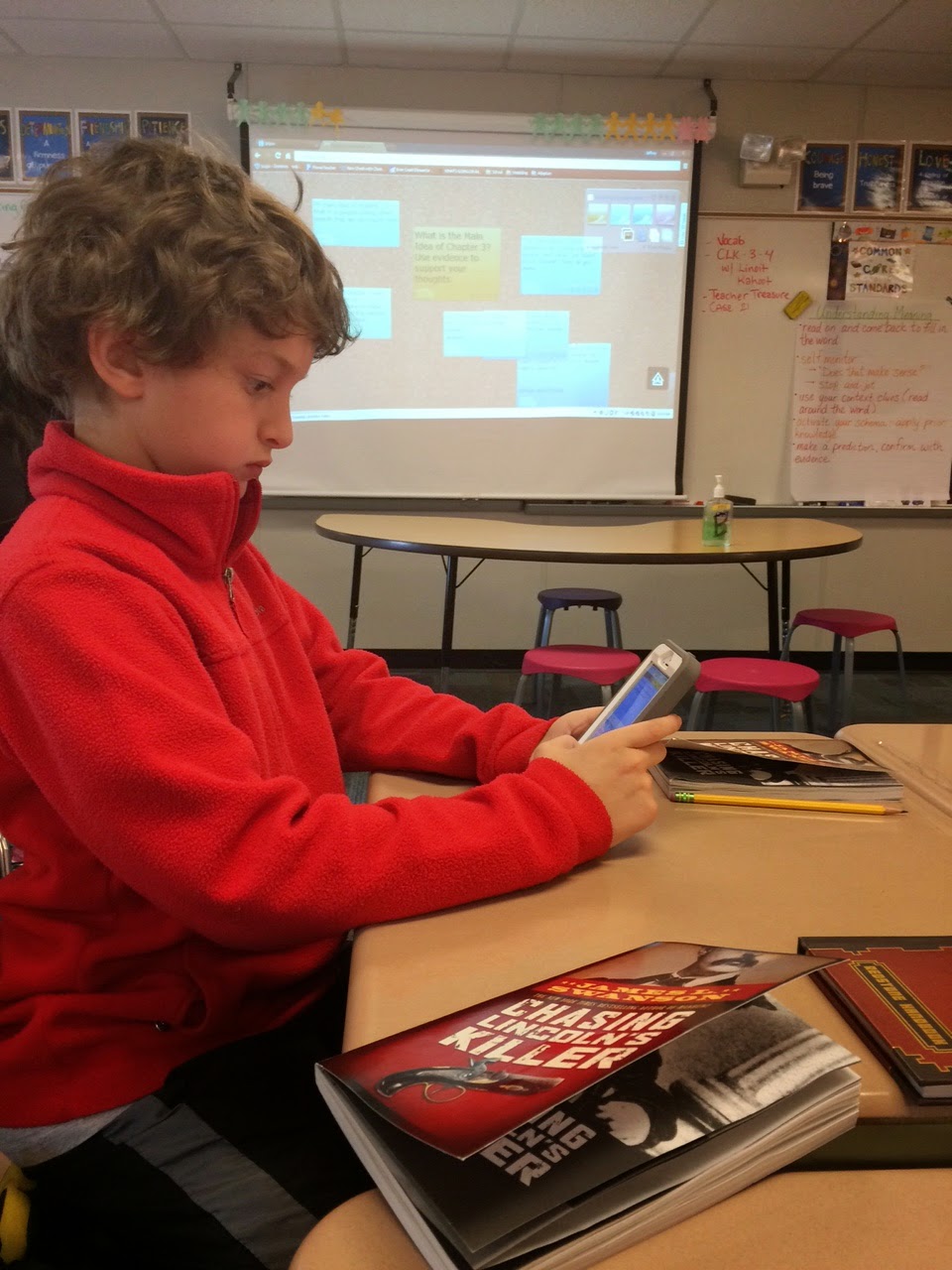
We then read a chapter from our class novel Chasing Lincoln's Killer* (old fashion paperback ;-)) Fom here, we used Linoit to answer a Main Idea question and start a class discussion about the chapter and characters we had just read about.


After that we use Kahoot Survey to analyze certain characters from the first three chapters.

 The more we use certain apps, websites, forms, etc., the process of them logging on and completing the task is getting seamless; I do not have to instruct on how to login or navigate any longer. Happy Friday.


Thursday, April 9, 2015

Chalktalk Conversations

Day 1 - Students were annotating a passage together. They were encouraged to use appropriate questions stems ("A question I have is" "I was wondering what/why this word" "Why did the author" when asking each other questions as well as appropriate speaking stems, ("I agree with" "I disagree with" "To add onto ...."). Posting these on the Smartboard in two columns helps the students move the conversation along as I walk around and facilitate. Here students were using Thesaurus.com and Dictionary.com to look up words they needed clarification on.

Day 2 - annotating a poem the next day in the same fashion Day 3 - students had seven questions on seven pieces of construction paper of varying HOTS. They needed to respond to each question on their own, while standing with their group and rotating around to each of the seven questions. Day 4 - students then rotated around with their group and read everyone's responses to each questions. They would then delve into a conversation about which responses were most correct and they recorded them on their device.*

* I have found when students are doing a informal writing such as this, writing in their notes on their device is particularly useful. They are able to edit, switch words around, spell check and type neatly and quickly. Many of my reluctant writers have SOARED to new heights with their writing by having a device as an option to type.


Friday, March 27, 2015

Quiz using Google Forms

Today my students took their vocabulary quiz using Google forms and graded by the add-on called Flubaroo! It was so easy and took one minute to grade! No more paper quizzes and they are actually excited to take their quiz next week ;-)

#onereamamonth #challengeaccepted


Thursday, March 26, 2015

Google Docs for Peer Editing

Yesterday in class we were peer editing our perspective papers using a Google Doc..  I was inspired by Mr. B to try to create a Google form to help guide students with peer editing.  To help students better focus on their peer editing, I gave guiding questions which each partner needed to complete with each other's paper.  I created a classroom gmail account which allowed all students to use my Google form.   The best part is, I am able to look at their responses to see all of the suggestions, celebrations, and any particulars we were working on in our mini-lesson.  It was very easy for students to find the link on our weebly page and complete on their device or the classroom computers.  I found that students were more focused/ engaged and excited about completing the forms.


Wednesday, March 18, 2015

App Smashing Vocabulary


Using the vocabulary we have learned from the article we have been reading in class, we did some App Smashing.  First, we found our own meaning of the word, paraphrased the meaning and then used the camera and photo slideshow to show what we learned.  Students were to find a picture of the word (screen shot), take a picture of their word and definition written and created a slideshow of their work.  Students then either emailed or photoshared their slideshows with me.  Students were able to use their devices to search for pictures, definitions and take pictures of the words or their handwritten meanings.  Students really enjoyed using their device to share their understanding


Thursday, February 5, 2015

Webquest

In class today we learned about air pressure by using a webquest.  Students scanned the website using a QR code and then researched the webpage to answer the questions and learn about air pressure.


Monday, February 2, 2015

Poll Everywhere

We started fractions on Friday and I used the website Poll Everywhere to ask the students questions. Students went to my page and then typed in answers to my questions. As they did that their responses came up in word clouds. The more they said a word the bigger it got on the screen. We discussed why the words were bigger and how they were important!


Friday, January 16, 2015

Helping Students Stay Organized

Mrs. Hunsberger helps students add major class events to their events/reminders applications.