Friday, April 10, 2015
Mrs. Evans' Kindergartners Wonder About Weather!
Mrs. Evans and Mrs. D'Elia collaborated and planned an app smashing weather activity! First the students identified a type of weather that they wonder about and created an I wonder statement. (For example: I wonder how clouds are formed.) They researched and wrote the answer to their weather wonder. Next they used the iPad's camera and created a video to record their wonder statement in front of a green screen (green butcher paper taped on a wall in the hallway). Then they used the Internet to find and save a picture of their weather wonder. The picture was used in ChatterPix Kids to create a talking explanation of their wonder statement. After this, the students drew their own illustrations using Doodle Buddy to create a background image for their green screen recording. They tied all of these elements together in DoInk's Green Screen to create a multimedia presentation. They accomplished this in three busy and fun sessions! It was AWESOME!!!

Friday Form and Flubaroo Fun
Today was a funfilled Friday!
We started with a Science Vocab Quiz on Google Forms, graded with Flubaroo.
 We then read a chapter from our class novel Chasing Lincoln's Killer* (old fashion paperback ;-)) Fom here, we used Linoit to answer a Main Idea question and start a class discussion about the chapter and characters we had just read about.

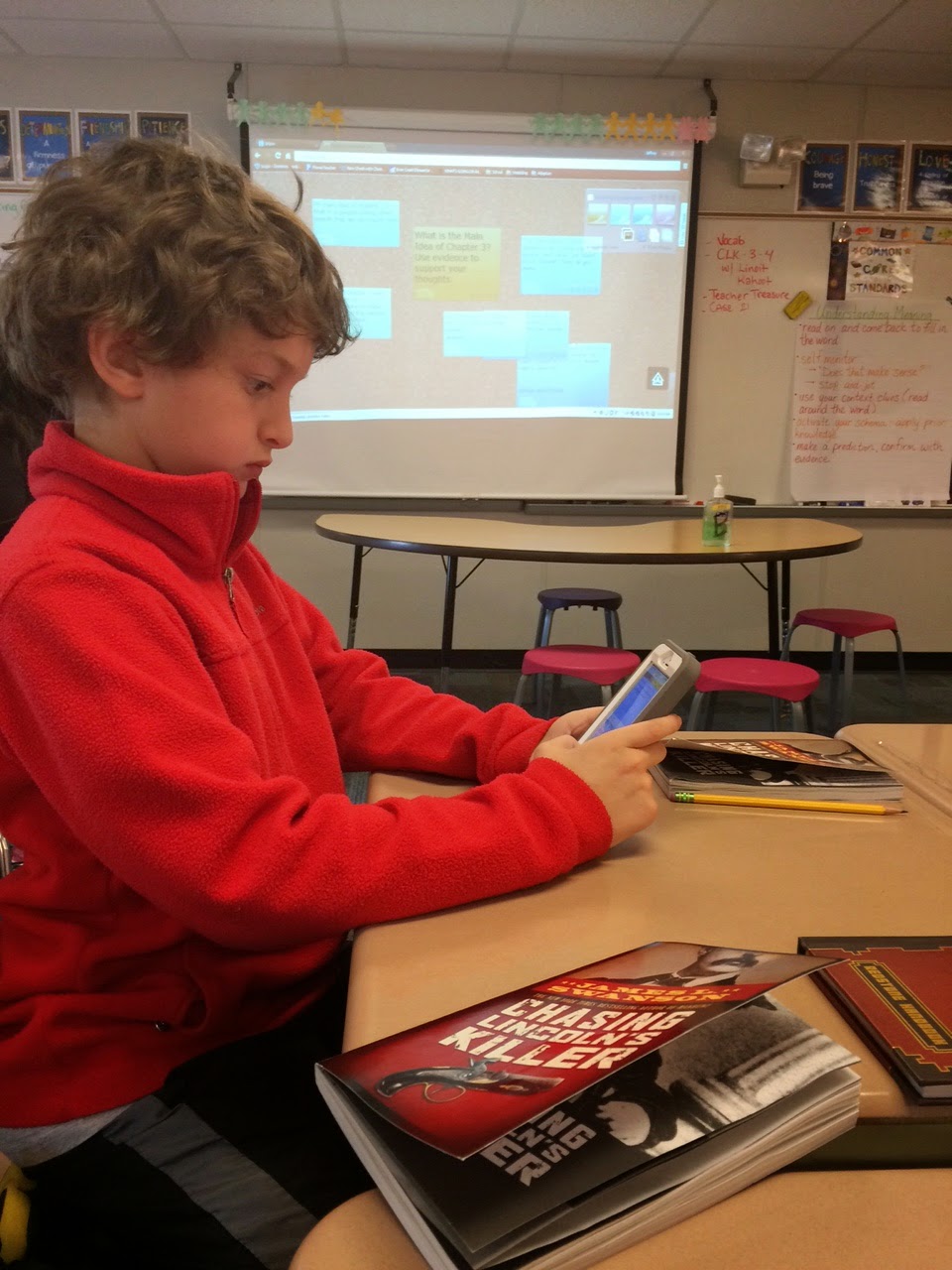
After that we use Kahoot Survey to analyze certain characters from the first three chapters.

The more we use certain apps, websites, forms, etc., the process of them logging on and completing the task is getting seamless; I do not have to instruct on how to login or navigate any longer. Happy Friday.
We started with a Science Vocab Quiz on Google Forms, graded with Flubaroo.
After that we use Kahoot Survey to analyze certain characters from the first three chapters.
The more we use certain apps, websites, forms, etc., the process of them logging on and completing the task is getting seamless; I do not have to instruct on how to login or navigate any longer. Happy Friday.
Thursday, April 9, 2015
Chalktalk Conversations
Day 1 - Students were annotating a passage together. They were encouraged to use appropriate questions stems ("A question I have is" "I was wondering what/why this word" "Why did the author" when asking each other questions as well as appropriate speaking stems, ("I agree with" "I disagree with" "To add onto ...."). Posting these on the Smartboard in two columns helps the students move the conversation along as I walk around and facilitate. Here students were using Thesaurus.com and Dictionary.com to look up words they needed clarification on.
Day 2 - annotating a poem the next day in the same fashion Day 3 - students had seven questions on seven pieces of construction paper of varying HOTS. They needed to respond to each question on their own, while standing with their group and rotating around to each of the seven questions. Day 4 - students then rotated around with their group and read everyone's responses to each questions. They would then delve into a conversation about which responses were most correct and they recorded them on their device.*
* I have found when students are doing a informal writing such as this, writing in their notes on their device is particularly useful. They are able to edit, switch words around, spell check and type neatly and quickly. Many of my reluctant writers have SOARED to new heights with their writing by having a device as an option to type.


Day 2 - annotating a poem the next day in the same fashion Day 3 - students had seven questions on seven pieces of construction paper of varying HOTS. They needed to respond to each question on their own, while standing with their group and rotating around to each of the seven questions. Day 4 - students then rotated around with their group and read everyone's responses to each questions. They would then delve into a conversation about which responses were most correct and they recorded them on their device.*
* I have found when students are doing a informal writing such as this, writing in their notes on their device is particularly useful. They are able to edit, switch words around, spell check and type neatly and quickly. Many of my reluctant writers have SOARED to new heights with their writing by having a device as an option to type.
Planting Seeds with Lino!
We have officially started our Plants and Soil unit for 4th quarter today and to launch it I used Lino/Linoit. This was the first time we did it so I kept our questions simple and something all students would be able to answer- almost like a quick inventory [or KWL] of what the students knew already about the following: plants, soil, and seeds.


The students used a QR code to pull up the Lino and then worked alone, with a partner, and some groups of three to answer all three of the intro questions. Afterwards we discussed plants in further detail and started our Colored Celery experiment that will help us see how the coloring in the water seeps through the stem up to the leaves and in turn, changes their color.


Thank you to all the individuals who shared their experiences with Lino, Maynard for sharing the iPADS, and Shearer for sharing her celery :)
QR Codes and Kahoot in Kindergarten
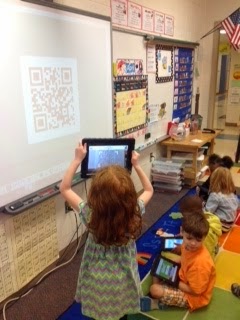
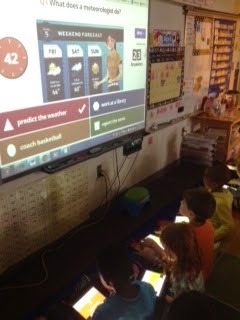
This morning we finally embraced BYOD in our kindergarten classroom! The kids have been using their devices in small groups, but we have not attempted any whole group activities yet. Although we only have 4 students with their own device, we were able to buddy up and supplement with our school iPads. First we used a QR code to take us to Kahoot! We then completed a Kahoot that explored weather concepts. This was great practice for our science assessment we took later on. It also gave me a quick snapshot about one topic I needed to touch on again before the assessment. My kids LOVED reviewing this way and it only took my 10 minutes to make the questions. Through my exploration of the site I learned you can browse other teacher created activities and found 2 more we will do next week (one on math facts and one on blends). I highly recommend searching the site (you can search by grade or content)! #evenkindergartencandoit!
Wednesday, April 8, 2015
I Want to be Like Mr. B!
I was inspired by the fantastic Mr. B. when I saw he was now creating his quizzes online for the students to complete. I am all about finding ways to minimize the paperwork and save time so I have more time to find more resources for my teaching. First, I created the quiz using Google Forms, then I created a QR code for them to use to access the quiz. We ran through a few kinks [students hitting submit too early, etc.] but I'm positive the next time around will be smooth sailing!
Thanks Mr. B :)


Thanks Mr. B :)


Saturday, April 4, 2015
First/Fourth Grade: Digital Learning Share

My first grade students and Ms. Collins' fourth grade students shared how they use digital learning tools in their classrooms. To begin, the 1st grade students taught the 4th graders how they use linoit by posting information about themselves (name, age, favorite thing to do).

Next, we practiced using linoit as a way to share our thoughts during our read aloud. The 1st graders have been reading Fancy Nancy: Nancy Clancy: Super Sleuth.
Ms. Collins' 4th graders showed the 1st graders how to share their thoughts (connections, questions, inferences, etc.) during our read-aloud. They did a wonderful job!

Finally the 4th grade students shared their favorite digital learning tool to their 1st grade buddy. The fourth graders shared; story kit, Discovery Education: Board Builder, Aww white board, Big Universe, etc. We even had one 4th grade student present on the SMARTboard how she uses board builder. We are hoping to have more shared learning experiences for our First/Fourth grade buddies using technology!

Subscribe to:
Posts (Atom)